Keep facilities organized
Connect each customer to the offices, buildings, units, or facilities your team is trusted to clean.
Commercial cleaning software
Manage recurring commercial cleaning, give each crew the right checklist, and keep photos and exceptions with the job for office review.
30 days free · no credit card required
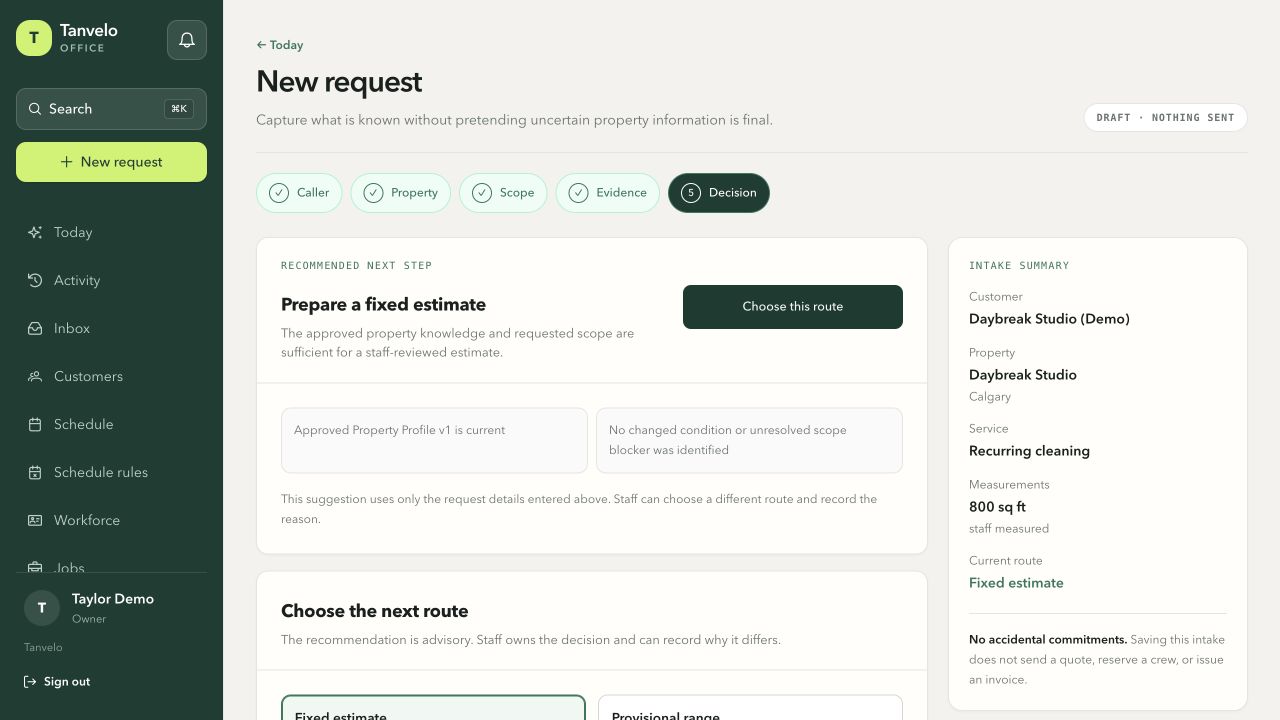
The actual estimate-preparation step keeps the property and requested service beside the next decision. Fictional demo data; no quote has been sent.
View full-size screenshot (opens in a new tab)Connect each customer to the offices, buildings, units, or facilities your team is trusted to clean.
Put required checks, customer priorities, notes, and evidence expectations directly into the field workflow.
Record unexpected conditions and extra work without overwriting the original agreed scope.
A practical example
A commercial account may share one billing relationship while every location has its own access instructions, service schedule, checklist, and completion evidence. Tanvelo keeps those records separate without fragmenting the customer history.
Schedule work against the correct property so its access context, approved scope, and visit history follow the assignment.
The assigned cleaner completes the facility-specific checklist and attaches notes or photo proof to that visit.
If the crew finds additional work, the office can review and price it while the customer's decision stays beside the original scope.
Commercial workflow
Tanvelo keeps the operational history intact as recurring facility work moves from scheduling to completion and review.
Connect the schedule to the right property, access context, agreed work, assigned cleaner, and checklist.
Let the cleaner follow required steps, add notes, and attach photo proof to the job.
Check completion, keep approved changes visible, and move finished work toward billing readiness.
Inside Tanvelo
Commercial service can involve multiple sites, repeat visits, sensitive access details, proof requirements, and unexpected conditions. Tanvelo keeps those records purposeful and connected.
Keep each property’s access context, notes, scheduled work, and visit history under the correct customer. For regular janitorial contracts, give each building its own service pattern and visit assignments.
Plan recurring janitorial visitsGuide assigned cleaners through the requirements for that facility and service visit.
Keep checklist results, photos, and field notes with each facility visit. Review the submitted evidence and return work that needs attention before approving completion.
Explore cleaning proof of serviceDocument conditions found on site and preserve the customer’s decision alongside the original scope.
Built for cleaning work
Use Tanvelo for offices, common areas, units, clinics, retail spaces, and other properties where instructions and proof need to follow every visit.
Know before you switch
Handle invoicing, mobile work, reminders, and bookkeeping without losing the job details.
Create customer invoices and keep payments, outstanding balances, and job records organized in one place.
Open Tanvelo in your browser on desktop or phone. Keep the office and field team working from the same job details.
Plan recurring visits, assign a lead or crew, and enable customer appointment reminders by email in your schedule settings.
Keep payment records organized and export reconciliation details as CSV for your bookkeeping process.
Have a question? Talk to us about your workflow.
Questions and answers
Clear answers about where Tanvelo fits and how to start.
Yes. Tanvelo keeps customers connected to multiple service properties so each facility can retain its own operational context and history.
Yes. Assigned cleaners can complete required checks and attach photo proof for office review as part of the job workflow.
The cleaner can capture the issue, the office can review and price the change, and the customer’s approval can stay connected without replacing the original scope.
Start without a sales call
Create your workspace, add a customer, schedule the work, and see how the full trail stays connected.